Code is Mobii’s data product. It lets you create, connect and use the data that describes every event, in one platform you own and control, with AI to detect what happens and answer questions about it.
One Data Engine you ownnormalized, aligned to the video, linked
Ask the AI Assistant
Tries by phaseMetres gainedPenalties by periodLineout success
Your dataOwnedIn your cloud
Every use
StudioAutomated production
MomentsClips and highlights
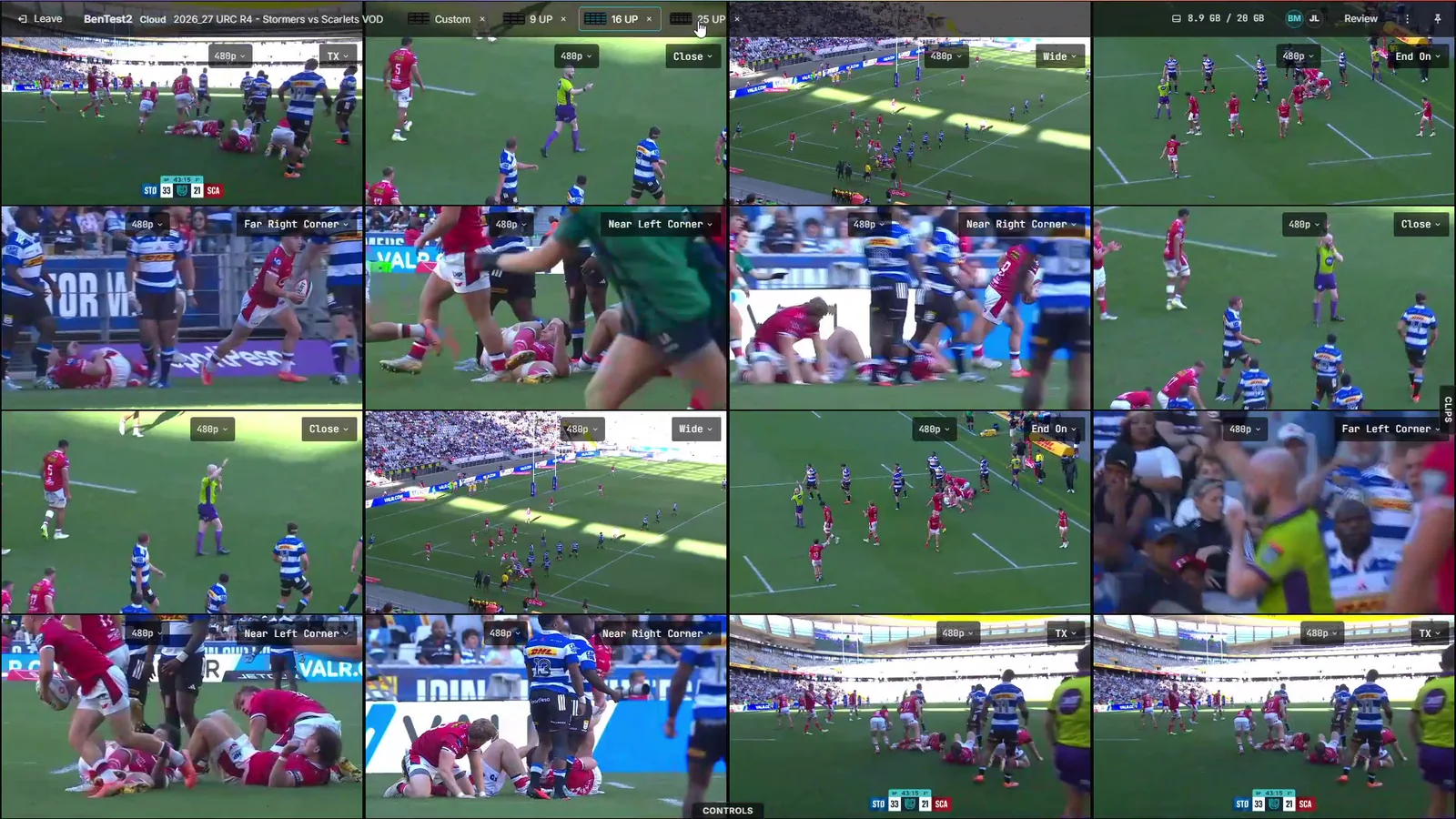
ReviewData beside every angle
Reports, APIsTeams, apps, partners
At a glance
Create your own data
Coders tag events live or after the event, with code sets built for your sport. No data vendor needed.
Connect any source
Data Connectors bring in timing, scoring, telemetry and older systems with no development work.
Detect with AI
Fusion CV models and speech recognition capture events from the cameras and the commentary.
Data you own
One Data Engine under your control. Vendors connect to Code, not to each other.
Linked to every angle
Every event frame aligned to the video, ready for graphics, clips, review and fan products.
Ask for any insight
Reports and dashboards for every team, and an AI Assistant that answers questions in plain language.
The problem
Data is scattered, owned by others, or missing
Data should be one of an organization’s most valuable assets. Too often it is hard to get, hard to control and hard to use.
No data at all
Many smaller organizations have no data vendor. Without data, they cannot run data driven graphics, automation or reporting.
Data that serves someone else
Vendor data is usually built for graphics, not for automating production, with separate vendors for clips, websites and apps, and an integrator in between.
Locked into today’s vendors
When one vendor changes, the integrations between all the others have to be redesigned, so organizations stay with arrangements that no longer suit them.
Many sources, many formats
Timing data, high speed telemetry and older serial and socket systems each have to be collected and aligned before they can be used.
What it does
One data platform you own
Code collects data from every source, normalizes it and stores it in one Data Engine that every Mobii product understands. Your organization owns the data and controls the integration points.
Create your own data
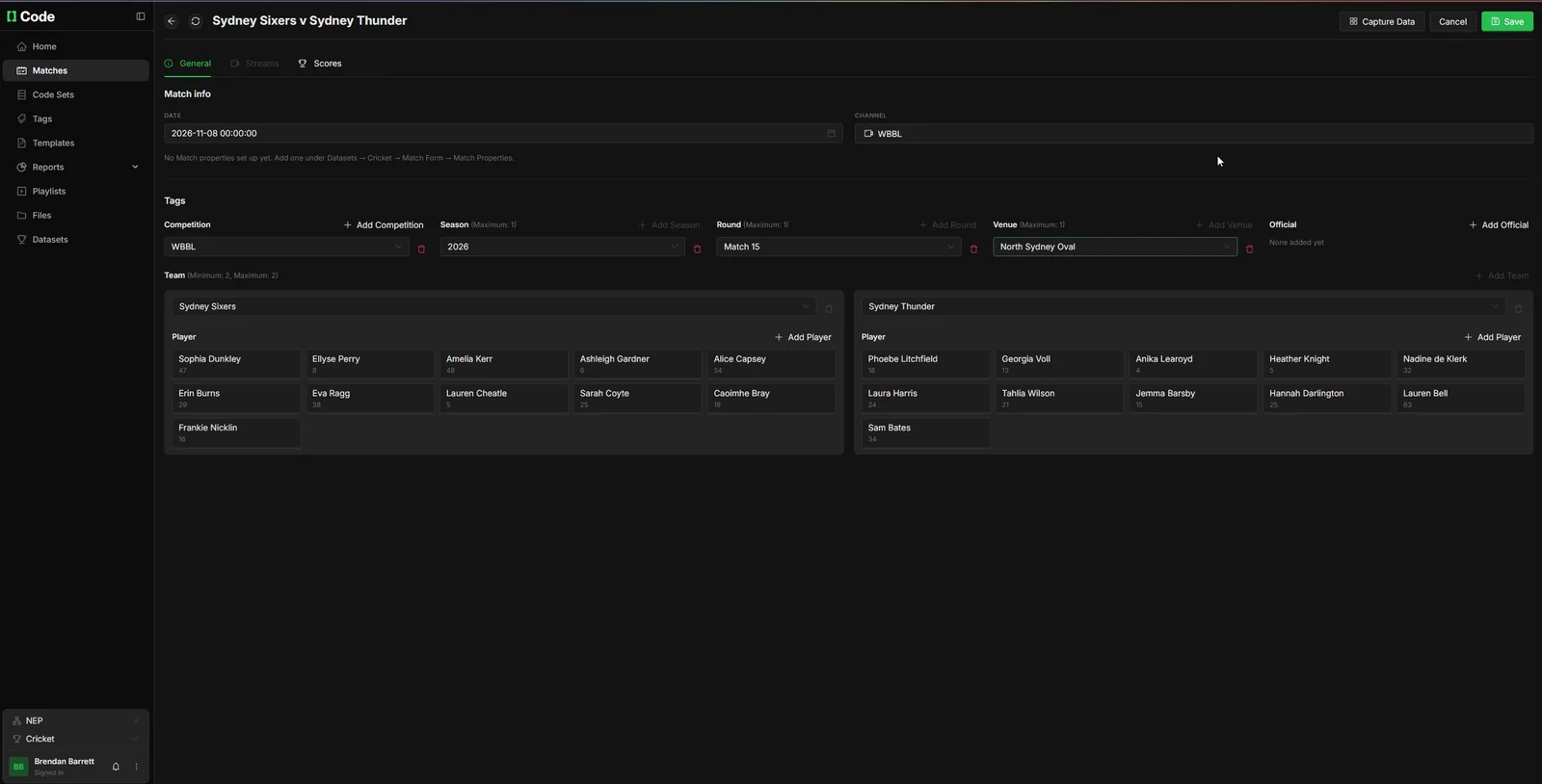
Coders tag moments live or after the event, across every camera angle, with templates designed for your sport. No data vendor needed.
Connect and unify
Data Connectors bring in third party feeds with no development work, from timing and telemetry to older serial and socket systems.
Detect with AI
Mobii’s AI reads the cameras and the commentary, capturing events automatically as they happen.
Ask with AI
Reports, dashboards and an AI Assistant that answers questions about your data in plain language and builds insights from the answer.
Freedom to change vendors
Vendors connect to Code, not to each other, so changing one no longer means rebuilding everything else.
Data and video for fans
APIs serve your data to websites and apps. With the Moments API, a fan can click any statistic and get a replay of those exact moments.
Works at the venue, even offline. Code runs on Mobii encoders at the venue as well as in the cloud. If the connection drops, data keeps being captured locally, and Code synchronizes it automatically when the connection returns.
Inside Code
Create, connect, detect, understand
Your team’s tagging, your data feeds, your cameras and your commentary, in one Data Engine, lined up with the video and ready for every use.
Coding Workflow
Create your own data
Coders tag events live or after the event, across every camera angle, with code sets built for your sport. No data vendor needed.
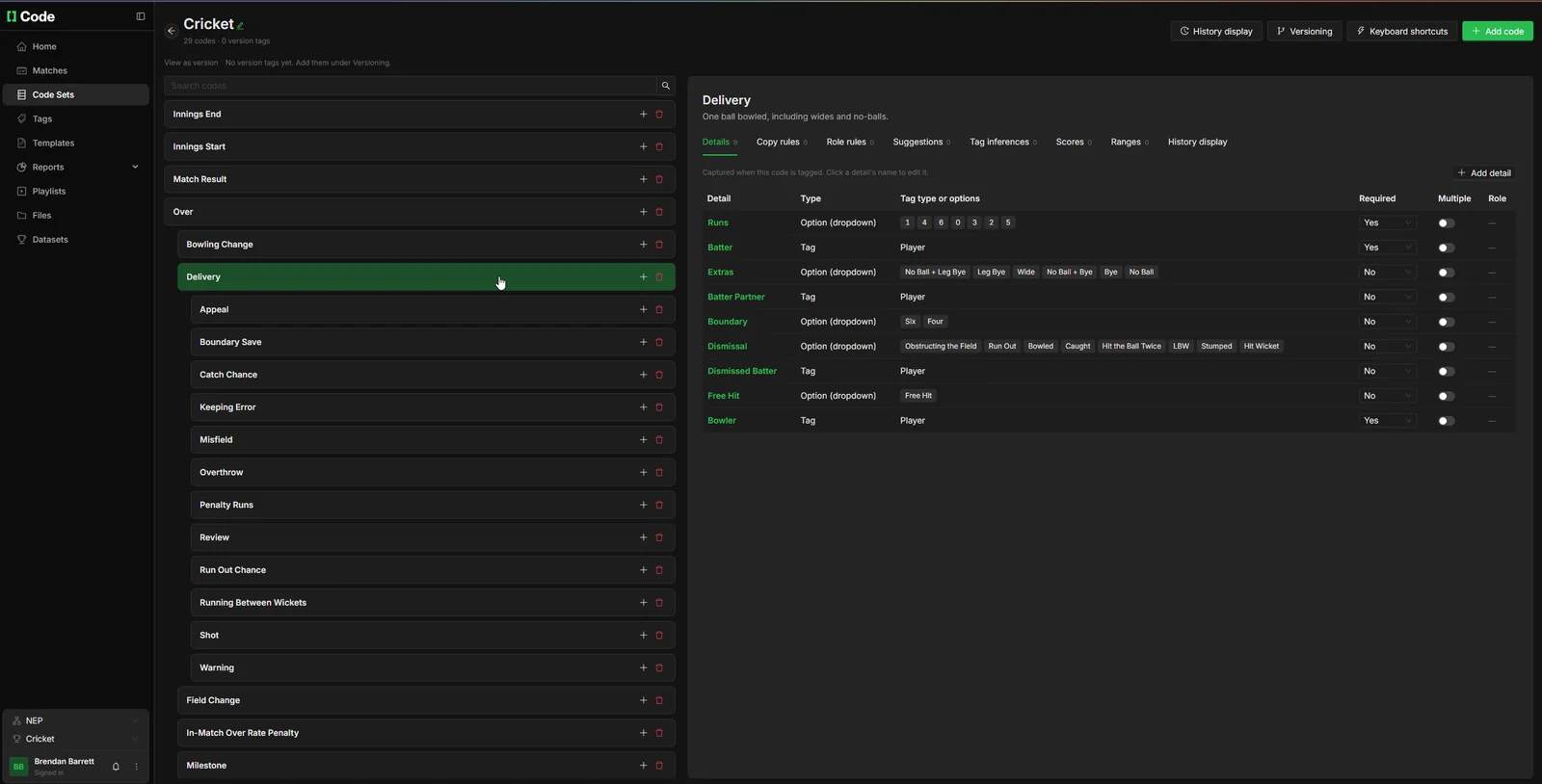
Code sets and templates for any sport, with the details captured for each event
Tag live or after the event, across every camera angle
A coding panel for keyboard and touch
Playlists with comments and annotations for review
Data Integration
Every source in one Data Engine
Data Connectors bring in third party feeds with no development work. Code normalizes every source into one structure, frame aligned to the video, and the same connector works at the venue, on encoders and in the cloud.
Timing, scoring and high speed telemetry
Older systems over serial and socket connections
Speech recognition that turns commentary into data
Vendors connect to Code, not to each other
ML Features
Detect events with AI
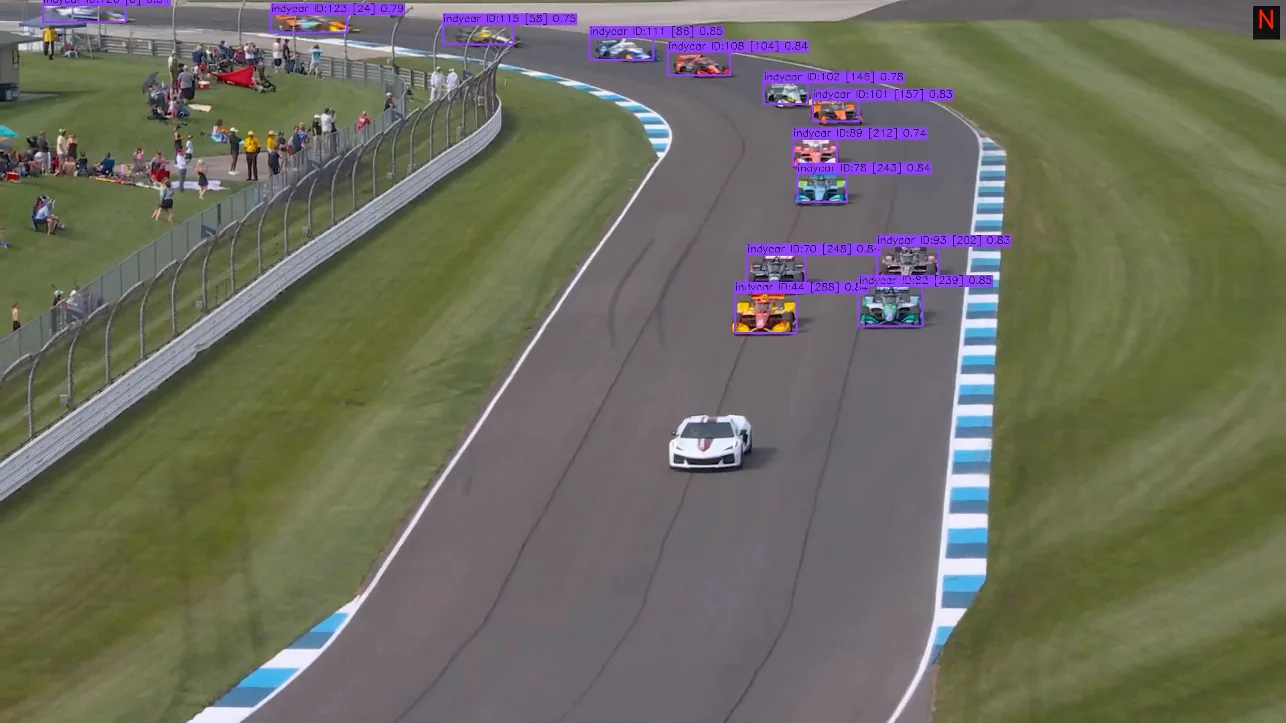
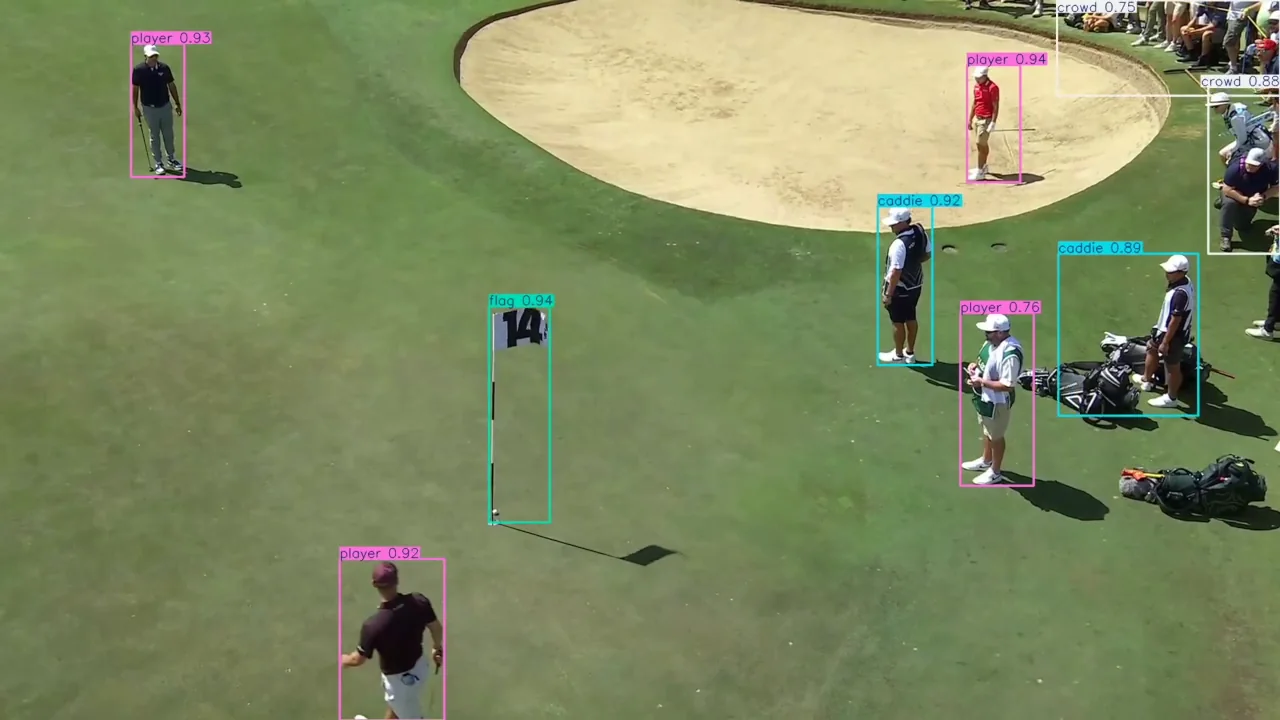
Fusion CV models read the cameras and capture events automatically as they happen, with sport models trained for your sport. Every detection lands in the Data Engine beside your other data.
Players, cars, objects and poses detected from video
Events captured with no manual tagging
Sport models trained for your sport
AI Assistant
Ask for any insight, see it in your reports
Code includes an extensive reporting layer, with reports and dashboards across every event. The AI Assistant, through the Code MCP, lets anyone ask questions of the data in plain language with the LLM of their choice, and builds the answer into a Code report as a chart or table.
Questions across one match, a season or every match on record
Almost any insight from events, players, teams and periods of play
Results built into Code reports as charts and tables
Analysts spend less time preparing data and more time using it
You
Which players gained the most ground in the second half this season? Add it to the attack report.
AI Assistant, using the Code MCP
Ranked every player by metres gained after half time, across every match this season.report: Attack
+ chart: Metres gained, second half
by: player, top 10
linked: clips for every carry
● Added to report The chart is in the attack report.
Illustrative example.
Reports for every team
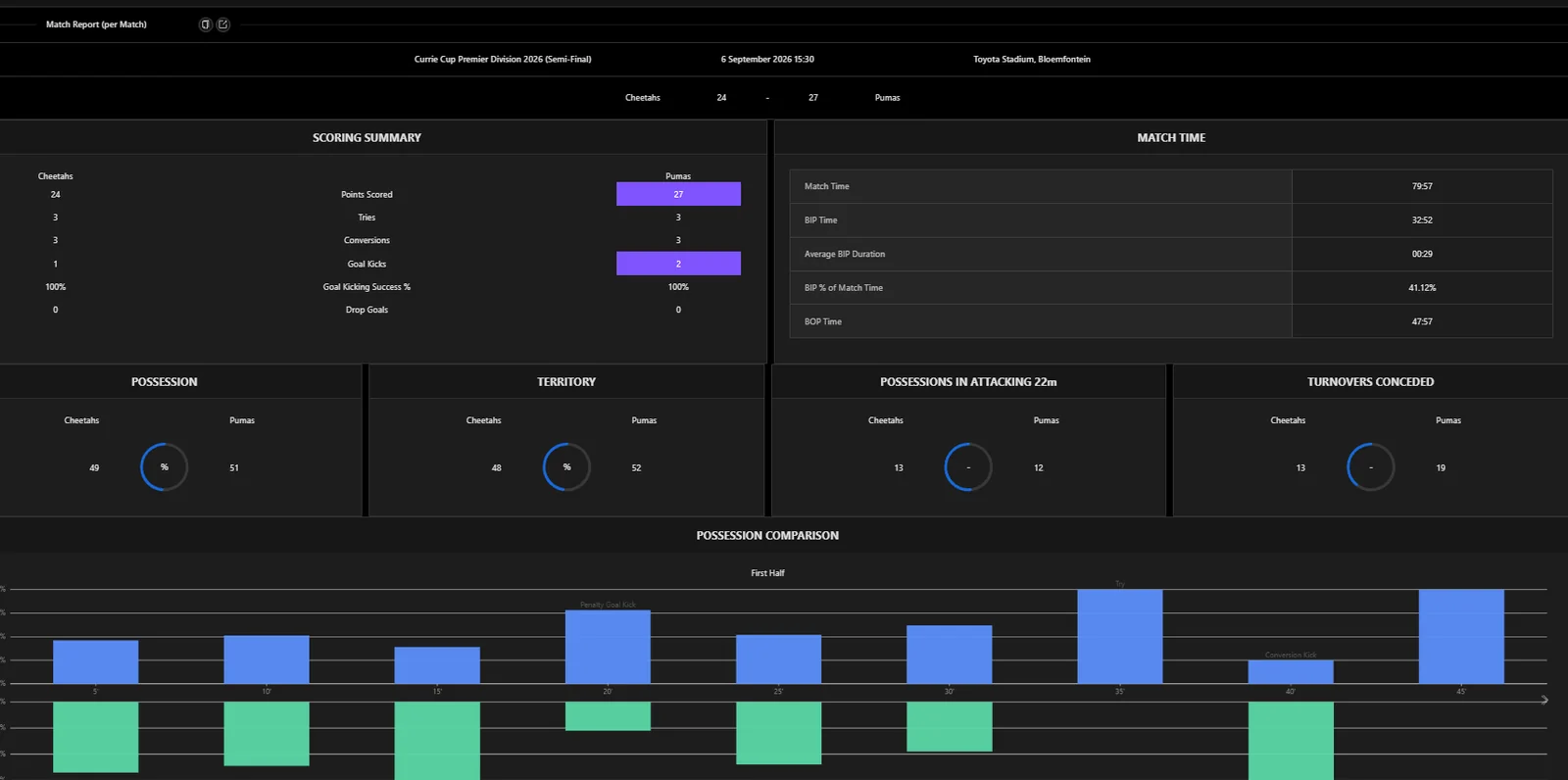
Built from coded data, from the match report to how a game swung and where the points came from.
From any source to every use
How data flows into Code
One event, captured once, can power graphics, replays, clips, reports and alerts across every product.
Where the data comes from
What Code does, and what it can power
A coder tags a try in a rugby match
Stores the try against every camera angle at that moment, ready for a score graphic, a replay and a highlight clip
A timing feed reports a lead change
Connects the feed and normalizes the data, ready for a leaderboard graphic and a race report
Telemetry shows a car slowing sharply
Combines it with timing data in the same place, ready for a race control alert and a replay
The cameras show a player shooting
Mobii’s AI detects the moment automatically, ready for a clip for social with no tagging needed
Tool API
Connects your data to third party systems and tools, such as graphics, scheduling and analysis.
Media Live API
Serves your data at scale to websites, mobile apps and fan products, from one source.
Data and video for fans
With the Moments API, a fan can click any statistic, such as a player’s tries this season, and get a replay of those exact moments.
In production
Code at work today
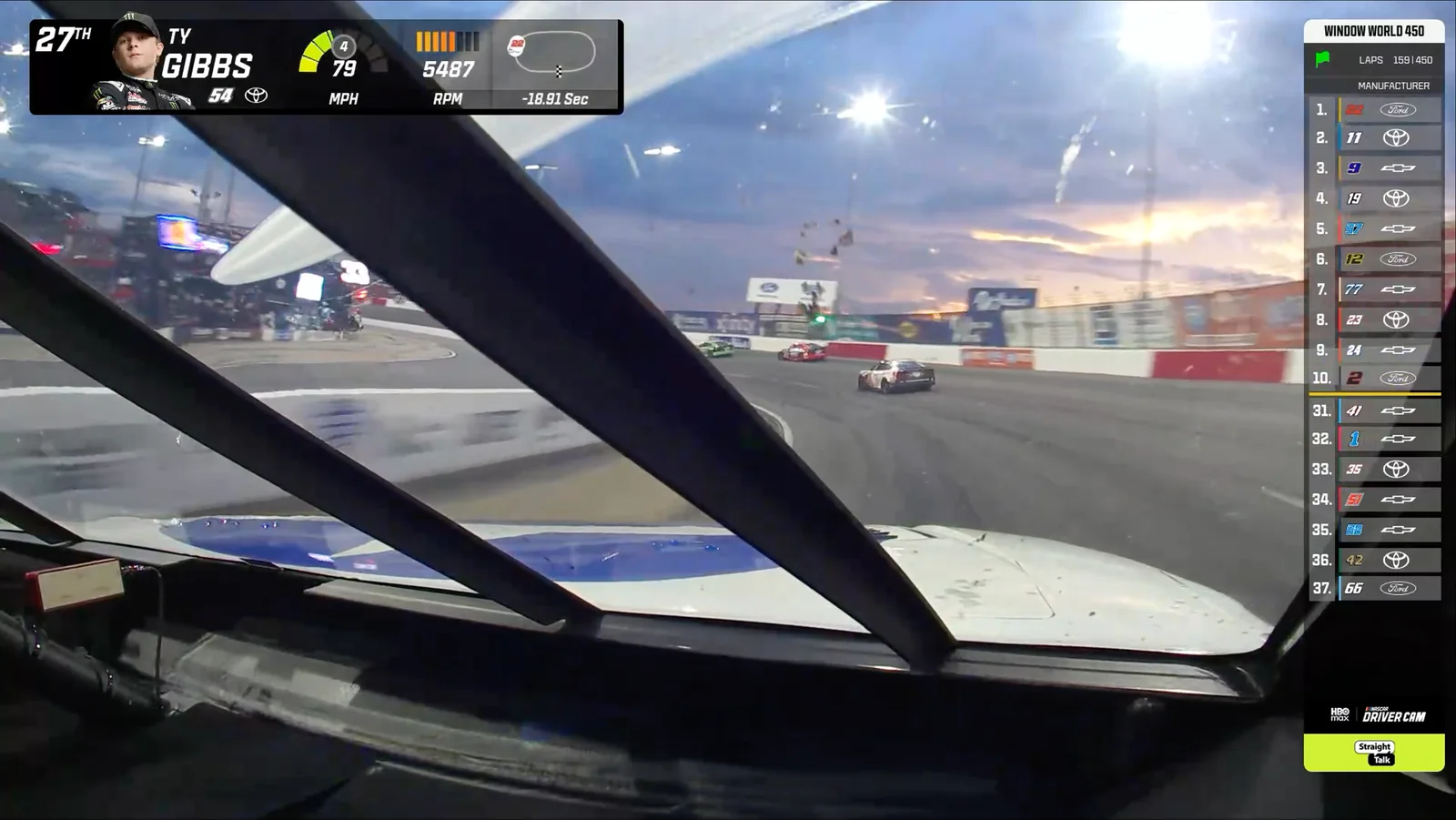
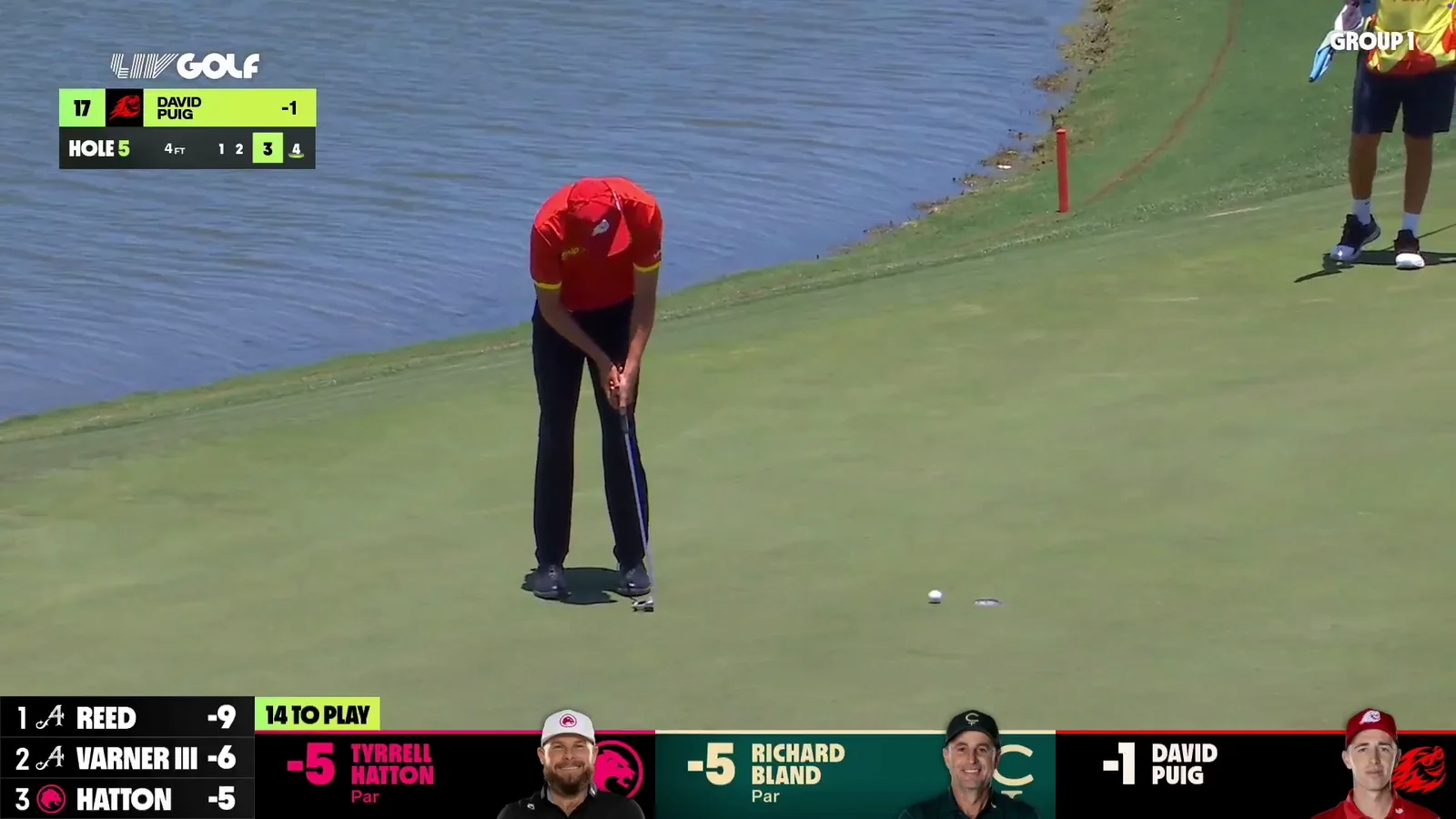
Every match and training session for the South African Rugby Union, NASCAR’s live timing and telemetry on HBO Max, and previously every shot at LIV Golf events.
Studio uses Code to drive automated graphics and production, Moments uses it to find and publish clips, and Review shows it beside every camera angle. Every product works from the same data, so adding one needs no new integration work.
Records the event
Manual coding, Data Connectors and automated capture, in one structure.
Automation
Studio reacts to Code data live.
Highlights
Moments searches the record to find clips.
Review
Review shows the data beside the pictures.
Who it is for
Built for every data situation
Whether you have no data vendor, several of them, or want data captured automatically, Code starts where you are.
Organization
Typical challenge, and what Code delivers
Federations and smaller sports
No data vendor and limited resources. Code gives them their own data, created simply, driving graphics and content
Leagues and rights holders
Several vendors and data they do not fully control. Code gives them one unified dataset they own, with freedom to change vendors
Broadcasters
Data built for graphics, not for automating production. Code lines the data up with the video, ready to drive automation
Digital and product teams
Data and video for websites and apps from different suppliers. Code gives them one source of data and video for every fan product
Coaching and analysis teams
Tagging and review tools that stay separate from everything else. In Code, tagged data also feeds graphics, clips and reports
Editions
Core, Plus and Max
Compare what each Code edition includes. Start with what you need and move up as you grow.
EditionsEach edition includes your Prism tenant.
Code CoreData your team creates, with no data vendor needed2 coder seats
Code PlusAdds data integration, speech and the AI Assistant5 coder seats
Code MaxAdds AI that detects events automatically10 coder seats
Create
Tagging templates for any sport
Tag live or after the event, across every camera angle
Coding panel for keyboard and touch
Playlists with comments and annotations
Coder seats
2
5
10
Store and report
Data Engine, frame aligned to the video
Venue and cloud kept in sync, offline at the venue
Reports and dashboards
Data that drives Studio, Moments and Review
Connect
Data Connectors
2 included
4 included
Timing, telemetry, scoring and older serial or socket systems
Every source normalized into one structure
AI Assistant: questions in plain language
Hear
Speech recognition: commentary into data
Translation
1 language
1 language
Detect with AI
Computer vision detection from the cameras
On screen text read into data
AI voice for localized output
1 language
Sport model trained for your sport
1 included
Add as you need
Additional Data ConnectorsOne per data source.
Tool APIConnect your data to graphics, scheduling and analysis tools.
Media Live APIServe your data at scale to websites and apps.
Additional coder seatsBeyond the seats your edition includes.
Additional sport models and languagesPer model or per language.
Model trainingNew sport models trained for your sport.
Priced by use
Data storage is metered per terabyte a month, shared with your video storage.
Holding more than one Mobii product, you pay for Code once, at the highest edition you hold.
Available on monthly, annual or multi year terms, on Mobii Shared Services or, with Enterprise, inside your own cloud. Talk to us about pricing.
No. Coders tag events live or after the event, across every camera angle, with code sets built for your sport.
Can Code connect to the data feeds we already have?
Yes. Data Connectors bring in third party feeds with no development work, from timing, scoring and high speed telemetry to older serial and socket systems, and Code normalizes them into one Data Engine.
Who owns the data?
You do. Your organization owns the data and controls the integration points. Vendors connect to Code, not to each other, so changing one no longer means rebuilding everything else.
What happens if the venue loses its connection?
Code runs on Mobii encoders at the venue as well as in the cloud. Data keeps being captured locally and synchronizes automatically when the connection returns.
Can we use our data outside Mobii products?
Yes. The Tool API connects your data to third party systems such as graphics, scheduling and analysis, and the Media Live API serves it at scale to websites, apps and fan products.
Can we ask questions of our data in plain language?
Yes. The AI Assistant, through the Code MCP, answers questions with the LLM of your choice and builds the answer into a Code report as a chart or table.
Where does Code run?
On Zenith encoders at the venue, capturing data close to the action even offline, in Mobii’s cloud, or with Enterprise inside your own cloud environment. Data Connectors and the Data Engine work the same way in each place, and Code keeps them in sync automatically.